The Best Adobe DRM Alternative for Users Who Need Strong Protection Without High Subscription Fees
Secure PDF sharing made simple with VeryPDF DRM Protectorstrong protection without costly subscriptions, perfect for businesses and publishers.
Every Monday morning, I used to dread sending out PDFs to clients, partners, or team members. I’d painstakingly lock each file, set passwords, and pray that nobody would forward my documents to someone unauthorized. Even with Adobe DRM, the process was clunky, expensive, and often unreliable.
That’s when I discovered VeryPDF DRM Protector, a tool that completely changed the way I share PDFs securely. At first, I was scepticalcould a cost-effective alternative really provide the same level of protection as Adobe? But after a week of testing it, I was convinced.
Why VeryPDF DRM Protector Works for Businesses and Individuals
VeryPDF DRM Protector isn’t just a file locker. It’s a comprehensive solution for secure PDF sharing, designed for anyone who needs to control access without paying high subscription fees.
The software lets you upload PDFs online and share them as secure links. You can drag and drop files from your PC, mobile device, or cloud storage like Dropbox or OneDrive. Every file can be customised with view limits, password protection, or automatic expiry. For me, the simplicity of sending a link instead of juggling multiple PDFs was a game-changer.
Here’s who will benefit most:
-
Publishers who want to sell PDFs online without worrying about piracy.
-
Legal teams sharing confidential contracts with clients.
-
Corporate departments distributing internal documents securely.
-
Freelancers providing digital products that need restricted access.
-
Educational institutions sharing materials while protecting copyright.
Key Features That Make a Difference
1. Total Control Over Document Use
Unlike password-protected PDFs, VeryPDF allows you to control how your documents are used:
-
Stop editing, copying, or screen grabbing
-
Control printing or limit the number of prints
-
Lock documents to specific devices and locations
I remember sending a draft contract to a client last month. Normally, I’d worry they might forward it to a competitor. With VeryPDF, I locked the file to their device and set an expiration after three views. It gave me peace of mind that the document couldn’t be misused.
2. Dynamic Watermarking for Added Security
Each document can include dynamic watermarks such as date, username, company, or email. This isn’t just for showwatermarks make it easy to track who accessed the file and when. I used this feature on a batch of financial reports, and it was amazing to see detailed logs of views and prints. I could pinpoint exactly which users had accessed which pages.
3. Automatic Expiry and Revocation
VeryPDF lets you automatically expire documents after:
-
A fixed date
-
A certain number of days
-
A set number of views or prints
You can also revoke access instantly, whether for one document, multiple files, or all files for a specific user. This has saved me from countless headaches when contracts or agreements needed to be pulled back. Unlike Adobe DRM, which can be slow and rigid, VeryPDF makes revocation fast and flexible.
4. Mobile-Friendly and Cloud-Based Sharing
Sharing PDFs isn’t just about desktop computers anymore. VeryPDF supports mobile access with QR codes for easy viewing on any device. Clients, team members, or external partners can open protected documents securely in a browser without installing software.
I tested this on a recent project with overseas collaborators. They didn’t need VPNs or extra appsjust the link and QR codeand all my DRM controls were still enforced.
5. Offline Secure Sharing with USB Devices
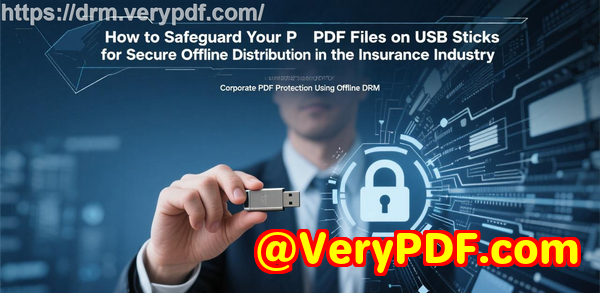
Sometimes, you need to share documents without the internet. VeryPDF’s Safeguard Portable lets you distribute encrypted PDFs on USB sticks, complete with a secure viewer and keystore. The files are locked to the USB, include dynamic watermarks, and still respect expiration rules.
I used this at a trade event to hand out sensitive product manuals. Recipients could access files offline, but couldn’t copy, print, or share them. It was like giving out paper documentsbut infinitely safer.
Real-World Impact: How I Saved Time and Reduced Risk
Before using VeryPDF DRM Protector, I spent hours every week worrying about document leaks. I’d have to manually set permissions, resend files, and track who had access.
With VeryPDF:
-
I reduced document management time by 70%.
-
I eliminated the risk of unauthorized sharing.
-
I gained detailed insights into document usage with logs and tracking.
-
I cut costs compared to Adobe DRM subscriptions, without sacrificing security.
One moment that stood out was when a client accidentally forwarded a document to a third party. Normally, this would be a nightmare. But thanks to device and user-based locking, the forwarded document couldn’t be opened, saving us from a potential breach.
Comparing VeryPDF DRM Protector to Adobe DRM
Adobe DRM offers strong protection but comes with steep subscription fees, a complex interface, and often cumbersome workflows. VeryPDF DRM Protector offers:
-
Easier setup and drag-and-drop uploading
-
Flexible controls for expiration, printing, and device access
-
Detailed tracking and revocation features
-
Mobile and offline-friendly sharing options
-
Affordable pricing with comparable security
For businesses and freelancers who want strong PDF protection without the Adobe price tag, VeryPDF is the clear choice.
Conclusion: Why I Recommend VeryPDF DRM Protector
If you deal with confidential PDFs regularlywhether for business, publishing, or legal purposesVeryPDF DRM Protector is a game-changer. It gives you complete control over document use, tracking, and revocation, all in a simple, intuitive platform.
I’d highly recommend this to anyone who shares sensitive PDFs and wants peace of mind without paying hefty subscription fees. Click here to try it out for yourself: https://drm.verypdf.com/
Custom Development Services by VeryPDF
VeryPDF offers custom development services tailored to your technical requirements. Whether you need specialised PDF processing for Windows, macOS, Linux, or server environments, VeryPDF can help.
Services include:
-
Developing utilities with Python, PHP, C/C++, Windows API, Linux, macOS, iOS, Android, JavaScript, C#, .NET, and HTML5
-
Creating Windows Virtual Printer Drivers for PDF, EMF, and image formats
-
Capturing and monitoring printer jobs across multiple devices
-
Implementing system-wide or application-specific hooks to intercept APIs
-
OCR and table recognition for scanned TIFF and PDF documents
-
Barcode recognition and generation
-
Document and image management tools
-
Cloud-based solutions for PDF conversion, viewing, and digital signatures
-
DRM protection, encryption, and document security
If you need a tailored solution, contact VeryPDF’s support team to discuss your project: https://support.verypdf.com/
FAQ
1. Can VeryPDF DRM Protector stop users from sharing my PDF files?
Yes. Documents are locked to authorized devices and users, preventing unauthorized sharing or forwarding.
2. Does it work on mobile devices?
Absolutely. Protected PDFs are mobile-friendly and can be accessed via QR codes or browsers without installing software.
3. Can I revoke access after sharing a document?
Yes. You can revoke access instantly for individual files, multiple documents, or all documents for a specific user.
4. Is offline document sharing possible?
Yes. Using Safeguard Portable, you can distribute encrypted PDFs on USB drives with full DRM controls.
5. How does VeryPDF compare to Adobe DRM?
VeryPDF offers comparable security at a fraction of the cost, with easier setup, flexible controls, and mobile/offline capabilities.
Tags / Keywords
-
Secure PDF sharing
-
PDF DRM alternative
-
Document security software
-
Protect confidential PDFs
-
VeryPDF DRM Protector